SQDR Configuration
on the RBAC Service Properties dialog
Select:
Enable logging
Log details (if desired)
Retention policy (days). A value of 0 is unlimited.
Note that SQDR Configuration will stop and restart the service.
You can enable logging without enabling RBAC. This is useful for viewing messages that are typically displayed in the Application Event Log (Windows) or /var/log/messages (Linux). See Logs.
In the left panel, select the folder Logs.
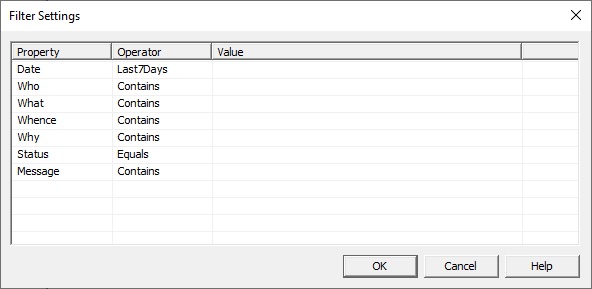
To filter the results, right-click on the folder Logs and select Filter/Filter Settings, or use Filter Items from the View menu, or select the Filter items icon from the task ribbon. The following dialog appears:
To remove the filter, right-click on the folder Logs and select Filter/Remove Filter.
To select which columns to display, Right-click on the header and select or deselect the column.
Select the Export button on the filter panel to export the currently displayed results to a JSON file.
You can also select one or more records from the display and select Copy, which will copy JSON records to the clipboard.
If RBAC is enabled, the Logs folder will appear only for users with role > Admin.